
FOR ANDROID TV · FREE TO USE

Your TV.
Together.

Your channels. Your next favourite story.
Pick up on the television in the other room.

Download the preview ↓

Android 9 or later · Development APK · Family test

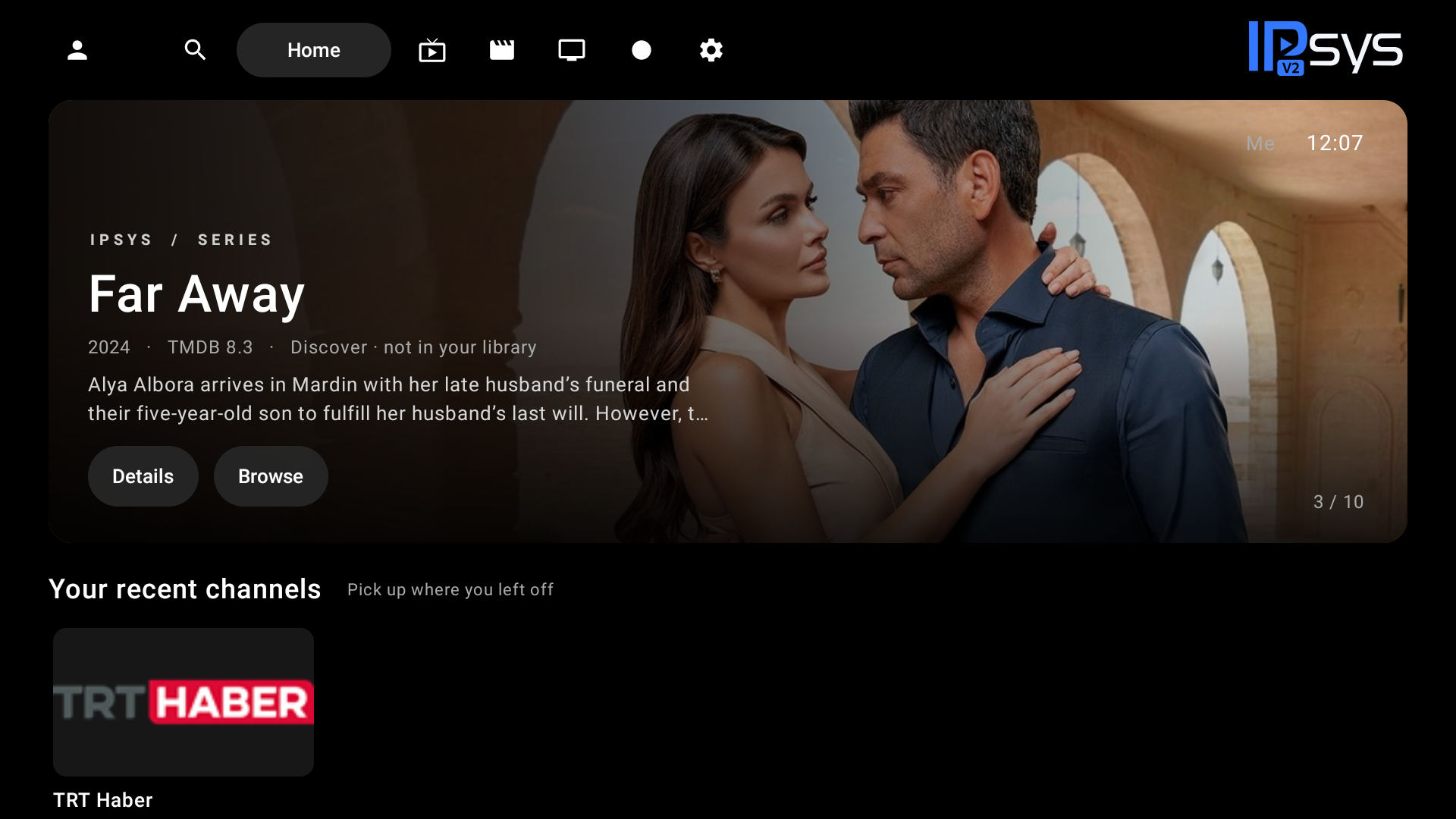
The IPSYS Android TV home screen, with a rounded recommendation and top navigation
01 / MADE FOR THE SOFA

A quiet, dark screen. Clear remote focus. Your own library at the centre.

ONE ACCOUNT, EVERY ROOM

Leave the remote.
Keep your place.

Link your television with a QR code, then enter your playlist on your phone. Link another TV to the same account to bring your sources and viewing progress with you.

The family preview syncs while the app is open. A saved library remains available when the account server is offline.

Connect your television ↗

Three steps.
Then press play.

  1. 01

    Install IPSYS

    Download the preview APK and install it on your Android TV.

  2. 02

    Scan and sign in

    Open playlist setup on the TV. Scan its QR code and confirm the matching code on your phone.

  3. 03

    Add your own source

    Paste an M3U playlist or your Xtream credentials. Your linked televisions fetch the catalogue directly from your provider.

YOUR CONTENT, YOUR CHOICE

A player for your playlists.

IPSYS does not provide IPTV subscriptions, channel links, films, series or other video content. You supply your own sources and the permission to use them. TMDB supplies metadata and discovery information, not playable video.

Discovery rankings reflect TMDB popularity. They are not measured national viewing figures. A recommendation can be played only when it matches an item in your library.